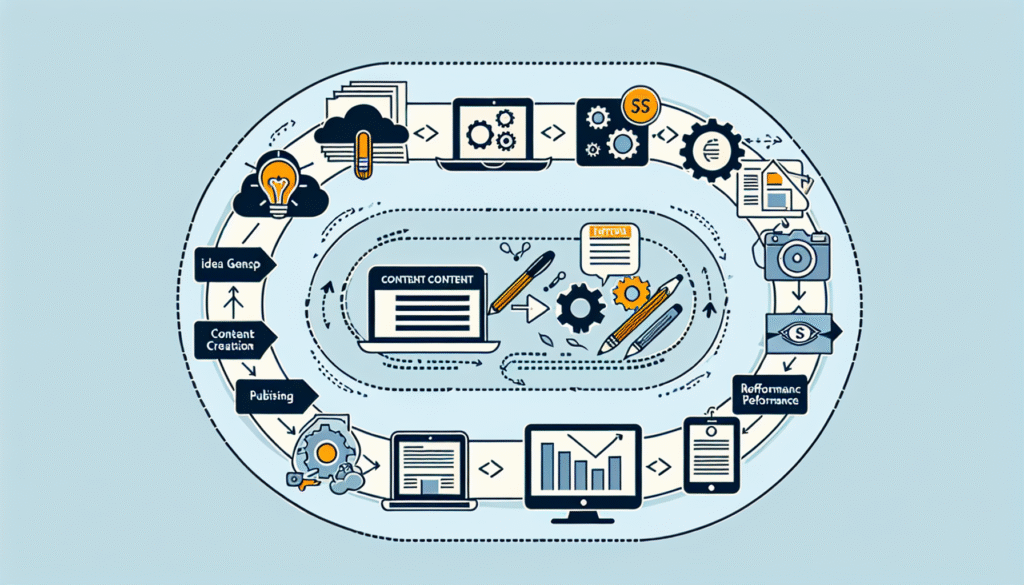
You’ve probably heard it a hundred times: “Content is king.” But what really makes content rule in 2025 is the system behind it. Creating a website with smart, scalable, and high-converting content doesn’t happen by accident. It’s the result of a carefully crafted process. One that balances user experience, search intent, SEO best practices, and fluid team collaboration.
Let’s break it down. Not just the what. But the how, the when, and the who involved in building a website content process that doesn’t just perform, but wins.
Step 1: Know Your People and Their Intent
Before you type a single word, you need to truly understand who you’re writing for and why they care. Without that, you’re basically building a house on sand.
In 2024, I worked on a UX-focused redesign for a SaaS provider targeting HR managers. We assumed our audience cared most about features. Turns out, what they wanted was simple: peace of mind and fewer compliance headaches. A shift in tone. Less tech jargon, more clarity. And conversion rates jumped 27% in three months.
Here’s the method that’s worked across industries:
Audience Discovery 101
- Conduct structured interviews with real users. Ask what frustrates them. What delights them. What would make them trust your brand.
- Use tools like SparkToro or Audiense to analyze digital behaviors.
- Dive into community platforms. Reddit, industry forums, YouTube comments. That’s where the truth hangs out.
Get Real With Keyword Research
Forget chasing high-volume traffic for the sake of it. It’s 2025. Ranking is about relevance. Use tools like Ahrefs, Google Search Console, and Semrush to:
- Identify long-tail, buyer-intent keywords.
- Map keywords to your customer journey. Awareness, consideration, decision.
- Prioritize based on business value, not just volume.
Step 2: Build a Content Calendar That Works for You and Your Goals
Content calendars aren’t just boxes on a spreadsheet. When done right, they’re strategic tools that anticipate search trends, align with UX goals, and serve your team.
Here’s how I structure them:
- Themes by quarter: Tied to campaign goals, product updates, or seasonal insights.
- Monthly focus areas: Grouped around key funnels and audience segments.
- Weekly actions: Specific briefs with roles and deadlines clearly assigned.
Helpful tools? Airtable, Notion, or even Trello with custom fields. Just make sure your calendar stays actionable, not aspirational.
And don’t forget UX. A visually stunning article that’s frustrating to read loses the race before it starts. Align your publishing schedule with design bandwidth and CRO testing cycles.
Step 3: Collaborate. Or Crash
I’ve seen brilliant content tank because the SEO, writer, and designer never spoke until launch day.
Here’s what’s worked better. Every. single. time:
Smooth Team Workflows
- Kick things off with a joint creative brief.
- Writers and SEOs collaborate on outline approval. No surprises later.
- Designers get mockup requests after the headline is finalized, not before.
- Review cycles are staggered: SEO > Content QA > Design QA > Legal, if needed.
Daily Slack check-ins or asynchronous Loom updates keep things moving. Simple, but deeply effective.
Step 4: The Editing & Optimization Checklist
This is where the good becomes gold. Don’t just hit publish and hope for the best.
On-Page SEO and Editorial Checklist:
- Keyword naturally placed in the title, H1, and one subheading
- Meta description under 160 characters. Clear, not clickbaity
- Internal linking to 3-5 relevant pages
- Outbound links to trusted, verifiable sources only
- Readability: Grade 7-9 score (use Hemingway Editor or Grammarly Premium)
- Alt tags on images that describe function, not just context
- Sentence and paragraph length varies. Because a wall of text kills engagement
From experience, even seasoned writers miss things when they skip the checklist. For a legal tech site we supported in early 2025, editing alone improved dwell time by 34%.
Step 5: Publish Like a Pro. Then Track or It Didn’t Happen
You don’t stop at publishing. That’s like baking a pie and never tasting it.
Use tools like:
- Google Analytics 4 (GA4) to monitor behavior flow and time-on-page
- Google Search Console for indexing issues or CTR opportunities
- Hotjar or Microsoft Clarity to spot UX pain points directly
- Looker Studio dashboards to keep your leadership looped in with real metrics
What you’re tracking matters:
- Conversion rate per page (not just form fills. Real lead quality)
- Organic traffic growth. Especially for long-tail entries
- Bounce rates paired with scroll-depth data, to get a fuller picture
Publish. Tweak. Repeat. That’s how you build something that lasts.
Final Thoughts. And Why This Process Sticks Around
In the ever-shifting landscape of web content, one thing hasn’t changed: people want answers, clarity, and help making the right decision.
When you nail each piece of this process. From strategy to execution. You create content that works with your audience, not against them. You don’t just rank. You resonate.
And that’s the kind of strategy that never goes out of style.
Ready to implement a content process that scales?
Start by auditing your current content flow. Find one weak link. Just one. Then fix it. That momentum will carry you farther than any tool ever could.
Frequently Asked Questions
What’s the difference between a content calendar and a publishing schedule?
A content calendar is the strategic overview. It covers your themes, objectives, and workload distribution over time. A publishing schedule is the granular plan: exact dates, times, and channels for when and where content goes live.
How do I balance SEO goals with user experience?
It starts with intent. Use SEO to find out what people are looking for, but let UX guide how you deliver it. Prioritize clarity, fast loading times, logical content flow, and accessibility. When the two disciplines talk to each other, magic happens.
What tools do you recommend for small teams with limited budgets?
Great question. For small teams, the sweet spot of low-cost and high-value includes:
– Google Docs + Grammarly for writing
– Trello or Notion for team coordination
– Ahrefs Free Webmaster Tools for basic SEO needs
– Google Search Console and GA4 for performance
Start simple and expand as your team grows.
How often should I revisit or update my website content?
Ideally, audit key landing pages every 6 months. Look at performance data, competitor shifts, and any algorithm updates. Blog content? Target a rolling update strategy. Keep evergreen posts fresh and prune anything outdated.
What’s one mistake most teams make when scaling website content?
Skipping alignment. When strategy, SEO, writing, and design operate in silos, things fall apart fast. Invest time in up-front collaboration. It’s slower at first, but it saves massive time. And rewrites. Down the line.