Building a mobile website that actually works in 2025 isn’t just about shrinking content to fit a smaller screen. It’s an art, a science, and, for many of us, a form of digital survival. Mobile traffic consistently hovers above 60%, sometimes spiking even higher depending on the industry (according to Statista data from February 2025). That means if your site’s not optimized for mobile today, you’re likely turning away more than half your potential visitors before they even see what you offer.
I’ve personally seen clients panic when their Google rankings took a nosedive, only to discover their Core Web Vitals were flailing or their mobile site was clunky beyond belief. The stakes are higher now, and the bar has been raised. Especially with search engines doubling down on user experience metrics.
So, how can you make sure your mobile site isn’t just “okay,” but truly gold-standard? Let’s dig into the best practices, key features, and some nasty traps you’ll want to sidestep when designing a mobile website in 2025.
Speed Still Reigns Supreme
Let me be crystal clear: speed is everything on mobile.
Google’s Core Web Vitals. Largest contentful paint (LCP), first input delay (FID, now reported as INP), and cumulative layout shift (CLS). Are more than technical jargon. They’re live-or-die indicators for user satisfaction. If your site takes more than 3 seconds to load on mobile, you’re already losing users.
Here’s what I recommend based on what’s worked repeatedly:
- Compress images using next-gen formats like WebP or AVIF
- Use lazy loading for off-screen images and videos
- Minimize JavaScript and defer non-essential scripts
- Employ responsive image sizes using
srcset
On one of the health & wellness e-shops I consulted for last year, we reduced mobile homepage load time from 5.2 seconds to 1.8 seconds. Bounce rates dropped by 38% overnight. That’s not an estimate. That’s data pulled straight from their Google Analytics and verified by Search Console reports.
UX/UI for Fingers, Not Mice
Designing for mobile means designing for thumbs. Fat ones, cold ones, distracted ones.
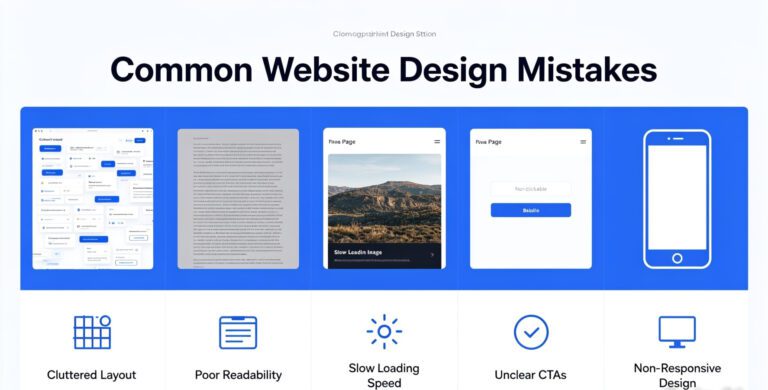
You’ve got to think tap targets, scroll habits, and directness. A common mistake I see (even in big-brand sites) is cluttered interfaces with buttons crammed too close together. That’s pure frustration on a 6-inch screen.
Some solid mobile-first UI/UX patterns to anchor your designs:
- Sticky navigation bars for easy access without scrolling
- Floating action buttons for important interactions
- Hidden elements that can be revealed via toggles (accordion menus, swipe gestures)
- Full-width CTA buttons that are easy to tap. Not hunt for
Apple’s Human Interface Guidelines and Google’s Material Design both emphasize these principles for a reason. They’re backed by user behavior research, not just design trends.
Pitfalls That Can Ruin Great Design
Even if your site is sleek and responsive, it can fall apart if navigation is confusing or layouts break on certain devices. I can’t tell you how many times I’ve tested a “responsive” site on an older Android only to find half the menu missing.
Biggest issues I’ve faced while auditing client mobile sites:
- Hidden nav items: Any critical link hidden in an off-canvas menu is a gamble
- Too much content on a single page: Endless scrolling works for Instagram, not always for product pages
- Unpredictable breakpoints: If you’re not using consistent media queries, your layout’s gonna snap. Literally
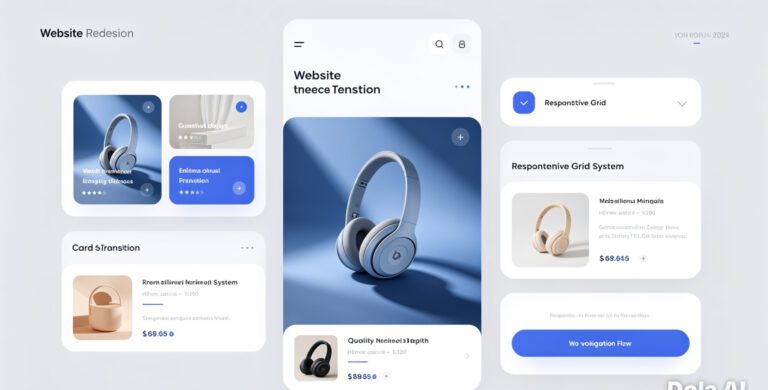
A clean, responsive grid system (Bootstrap 5, Tailwind CSS, or CSS Grid) helps prevent these mishaps by providing predictable scaling and alignment. Your dev team will thank you, and users will stay longer.
Adaptive Color Schemes & Dark Mode
Dark mode isn’t just a hipster trend. It’s a user expectation now. iOS and Android users often default to dark mode for better readability and battery saving.
Designing a dark theme used to be an afterthought. Not anymore.
Since mid-2024, more browsers and devices auto-switch themes based on user preference using media queries like:
But it’s not as simple as swapping background and font colors. You need to adjust images, icons, shadows, and even brand colors for proper contrast. I learned this the hard way when a finance app I was consulting on rolled out dark mode… and half the charts became unreadable. We had to redesign all our data visualizations from scratch.
Lesson learned: test everywhere. In all modes.
Accessibility Is Non-Negotiable
Accessibility isn’t just inclusivity. It’s legality, especially with tighter global regulations in 2025. The Web Content Accessibility Guidelines (WCAG 2.2) were updated last year and include specific mobile considerations.
At minimum, your mobile site should include:
- Alt text for all images
- Proper heading structure (H1-H6)
- Sufficient color contrast (min 4.5:1 for text)
- Keyboard navigability (yes, even on mobile with bluetooth keyboards)
There are tools like WAVE and Axe DevTools that can catch low-hanging accessibility issues automatically. But real usability testing with assistive tech (like screen readers) tends to bring out the deeper usability flaws.
One of my favorite takeaways from working with a nonprofit accessibility consultant: “Good accessibility design is just good design. Period.”
Wrapping It All Up
Designing a killer mobile website in 2025 isn’t about following the latest trend. It’s about mastering the fundamentals, avoiding repeat offenders, and caring enough to optimize for every user. Not just the ones with the newest iPhone.
Whether you’re designing from scratch or optimizing an existing mobile site, keep asking:
- Is this fast enough?
- Is this obvious enough?
- Could anyone, truly anyone, use this?
If the answer is no, you’ve got work to do. But trust me. It’s worth it. Sites that get this right don’t just perform; they convert, they build trust, and they endure.
Need honest advice or help figuring out why your mobile site isn’t hitting the mark? I’m here for it. Drop a comment or reach out. Let’s make the web better, one tap at a time.
Frequently Asked Questions
What are the Core Web Vitals I should focus on for mobile in 2025?
The key metrics are:
- LCP (Largest Contentful Paint) – should be under 2.5 seconds
- INP (Interaction to Next Paint) – replacing First Input Delay, optimally under 200ms
- CLS (Cumulative Layout Shift) – aim for under 0.1 for stable page rendering
Keep your mobile code and media lean, load critical assets first, and test everything using Google’s Lighthouse or PageSpeed Insights.
Is it necessary to design separate mobile and desktop websites?
Not anymore. Responsive and adaptive design allows one codebase to serve all devices. Exceptions exist. For example, if mobile users have completely separate intent (like a taxi booking platform). But even then, progressive enhancement in one site usually wins.
Do I need to support dark mode for my mobile site?
Absolutely. Many apps and browsers switch to dark mode automatically, and users expect your site to honor their settings. It shows professionalism, polish, and care for user comfort. Especially during evening browsing.
What tools can I use to test mobile website performance?
Here are reliable ones:
- Google Lighthouse (in Chrome DevTools)
- PageSpeed Insights – combines lab and field data
- GTmetrix – allows specific device emulation
- WebPageTest.org – detailed network waterfall insights
Always test under real-world 4G conditions, not just your speedy office Wi-Fi.
How can I improve mobile accessibility affordably?
Start with free tools:
- WAVE by WebAIM – great for spotting visual and structural barriers
- Axe DevTools – integrates into Chrome for audits
- NVDA or VoiceOver – use screen readers to experience your site as users with vision impairments do
Beyond that, work with consultants from disability communities for deep insights. It’s worth the investment.